
Best Ways to Collect and Share Wedding Photos with Guests (2026 Guide)
An honest comparison of every method to collect and share wedding photos with guests in 2026 — from text messages and WhatsApp groups to QR photo challenge apps. See which actually gets guests to share.
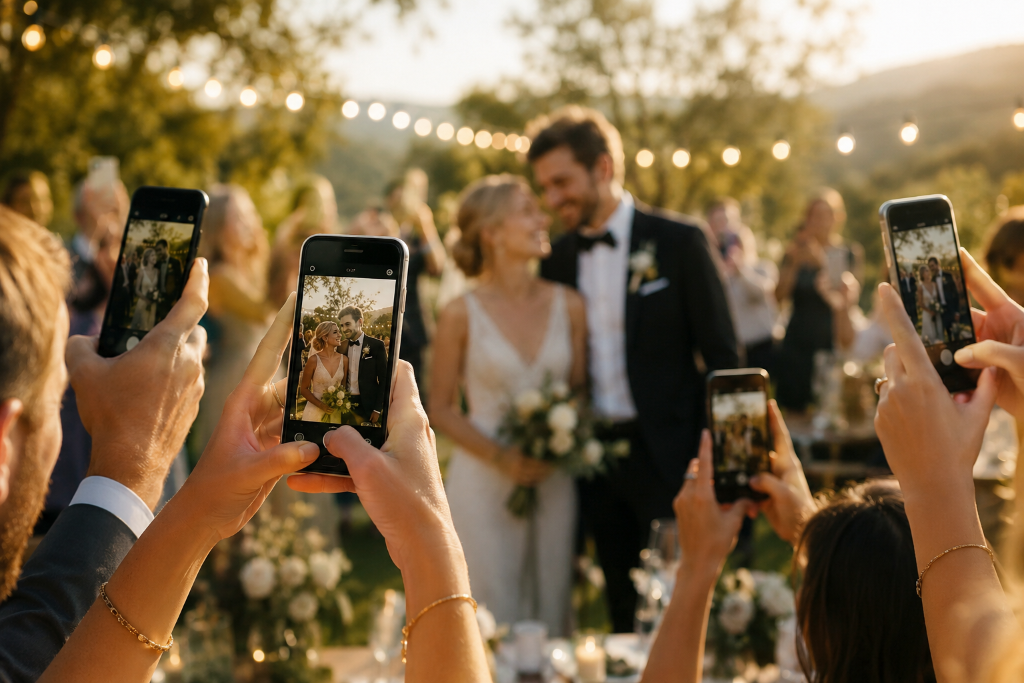
You had a beautiful wedding. The venue was perfect, the food was great, and your guests had a wonderful time. But now, three weeks later, you are staring at your phone with exactly 12 photos from the entire day.
The professional gallery will not be ready for another month. Your aunt promised to send her photos but keeps forgetting. Your best friend has 200 pictures on their phone that they will "share soon" — and you know that means never.
This is the wedding photo problem every couple faces. The day is over, the moments are gone, and collecting photos from 80 different guests feels like herding cats.
Here is the good news: in 2026, you have more options than ever to solve this. Here is an honest comparison of every method, from worst to best.
The Problem with Collecting Wedding Photos
Before we look at the solutions, it helps to understand why this is hard.
Your guests are not professional photographers. They are not thinking about documenting the event — they are trying to enjoy it. After the wedding, they go back to their lives. The photos stay on their phones. Some get posted to Instagram. Most get forgotten.
The traditional solutions all have the same flaw: they rely on guests remembering to do something after the event is over. And that almost never happens.
The best solutions flip this around — they get guests to share photos during the event, while the energy is still there, and the moments are still fresh. For a deeper look at why the usual approaches fail, see our guide on building a shared photo album for your event without a group chat.
Method 1: Ask Guests to Text or Email Photos
How it works: You put a note on the table or send a message after the wedding asking everyone to text or email their photos to you.
Cost: Free
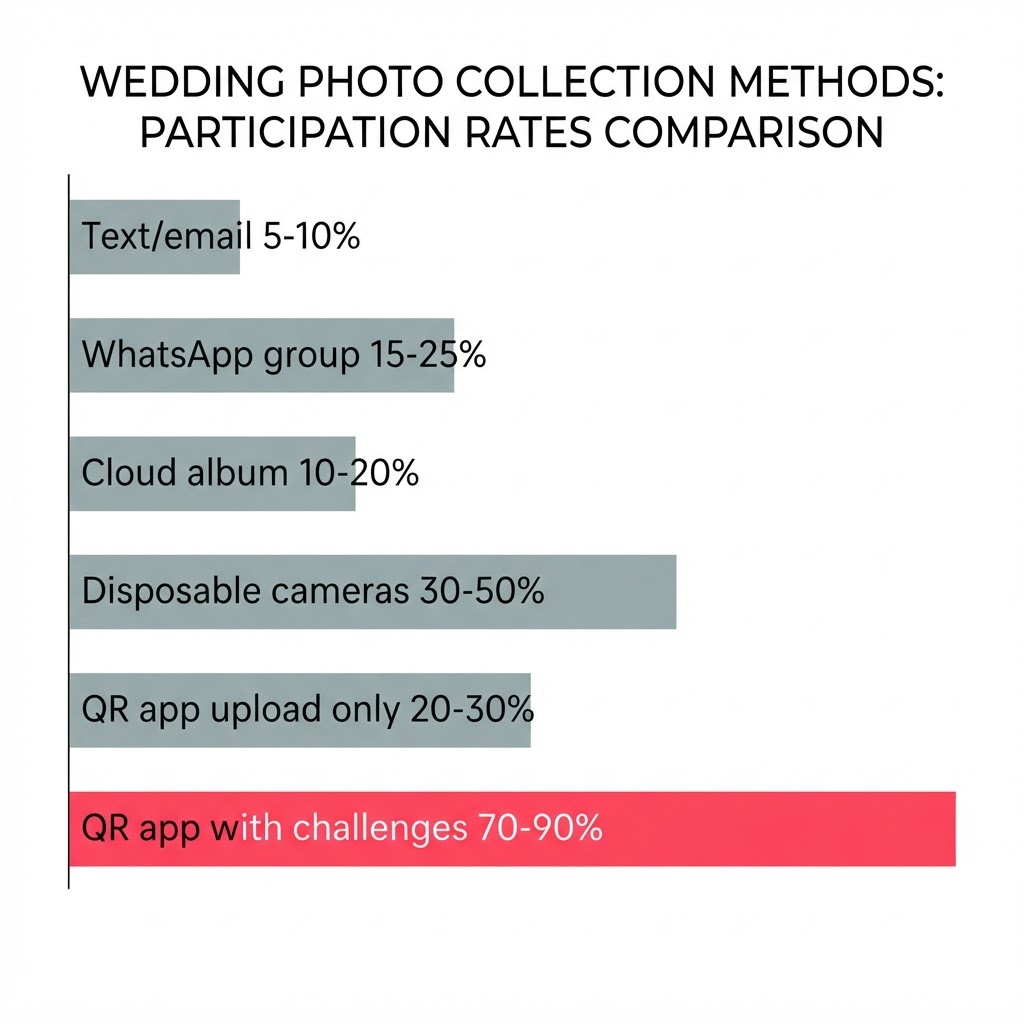
Participation rate: 5 to 10%
The reality: This is what most couples try first. It almost never works. People forget. They get busy. Their photos are mixed in with 500 other photos on their phone and finding the good ones feels like a chore. You will get photos from maybe two enthusiastic relatives and that is it.
Verdict: Do not rely on this. It is a backup plan, not a strategy.
Method 2: Create a WhatsApp or Group Chat Album
How it works: You create a WhatsApp group, iMessage thread, or Telegram chat and invite all your guests to share photos there.
Cost: Free
Participation rate: 15 to 25%
The reality: Group chats seem easy but they fall apart quickly. Someone shares a photo, then someone else responds with a thumbs up, then three people comment, then the conversation drifts to something else entirely. The photos get buried in chat messages. Many guests do not want to share their phone number with 80 people they barely know.
You also cannot display the photos at the venue, and the quality gets compressed by the chat platform.
Verdict: Better than nothing, but chaotic and limited. Good for a small dinner, not for a full wedding.
Method 3: Use a Shared Cloud Album (Google Photos, iCloud)
How it works: You create a shared album on Google Photos, iCloud, or Dropbox and send the link to guests after the wedding.
Cost: Free (most plans include shared albums)
Participation rate: 10 to 20%
The reality: These tools are designed for sharing photos after the fact, not during an event. Guests have to navigate to a link, sign into an account, figure out how to upload, and then actually do it — all after they have gone home. The friction kills participation.
You also cannot set a live display at the venue, and there is nothing to motivate guests to take photos in the first place. It is a storage solution, not an engagement solution.
Verdict: Useful as a final archive, but terrible for actually getting people to contribute.
Method 4: Disposable Cameras on Tables
How it works: You buy a disposable camera for each table and let guests take photos throughout the night. You develop them after the wedding.
Cost: 200 to 600 EUR for cameras plus developing
Participation rate: 30 to 50%
The reality: Disposable cameras have a nostalgic charm and some couples love the retro aesthetic. But the cost adds up fast, the photo quality is inconsistent, and you have to wait weeks to see anything. Half the photos will be blurry dance floor shots or accidental flash shots of the table.
There is also no live element — guests cannot see what others are capturing, which kills the social momentum.
Verdict: A nice complement, not a main strategy. Expensive and slow.
Method 5: QR Code Photo Sharing App
How it works: You create an event on a QR photo sharing platform, print the QR code on table cards or a welcome sign, and guests scan it to upload photos directly to your event gallery.
Cost: Free to 50 EUR depending on platform and plan
Participation rate: 20 to 30% for most platforms
The reality: This is a big step up from group chats and shared albums. The QR code removes the sign-up friction — guests scan and they are in. No app download, no account creation.
But most QR photo apps have the same fundamental flaw: they give guests a place to upload, but no reason to take photos in the first place. Guests scan the code, see a blank upload screen, and think "I will come back to this later." Most never do.
The platforms that solve this are the ones that give guests something to do the moment they scan.
Verdict: The right technology, but only if it includes engagement features, not just an empty upload page.
Method 6: QR App with Photo Challenges (The Best Option in 2026)
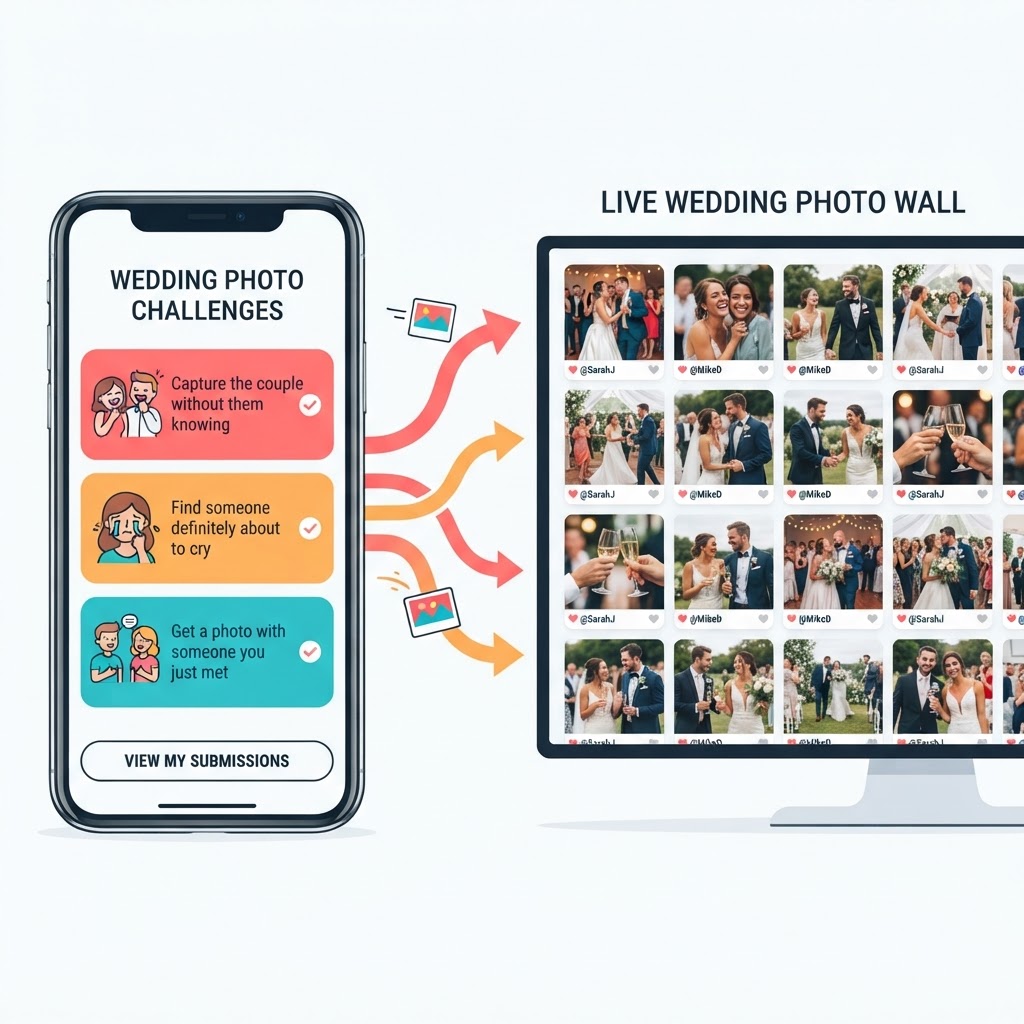
How it works: Same QR code scan, but instead of a blank upload page, guests see a list of creative photo challenges — prompts like "capture the couple without them knowing," "find someone who is definitely about to cry," or "get a photo with someone you just met today."
Photos appear instantly on a live photo wall displayed on a screen at the venue. Guests see each other's photos, laugh, and immediately want to contribute their own.
Cost: Free to start, 39 EUR for a full wedding (Photo Poodle Good Dog plan)
Participation rate: 70 to 90%
Why it works when nothing else does:
- Guests do not have to decide what to photograph — the challenges tell them
- The live photo wall creates a social feedback loop that drives more participation
- Everything happens during the event, not after
- No app download, no sign-up, no friction
- The couple gets a full gallery organised by challenge, not just a random pile of uploads
The challenges are the key. A guest who opens a blank album waits for something worth photographing. A guest who sees the prompt "find the person who travelled furthest to be here" is already looking around the room. That is the difference between passive technology and active engagement.
Run as a full photo scavenger hunt, these challenges give guests a structured mission and a live wall to watch their photos appear in real time.
Verdict: This is what actually works in 2026. It combines the right technology (QR, no app, live display) with the right psychology (clear prompts, social proof, real-time feedback).
Quick Comparison Table
| Method | Cost | Participation | Live Display | No App Download | Motivates Guests |
|---|---|---|---|---|---|
| Text or email | Free | 5-10% | No | Yes | No |
| WhatsApp group | Free | 15-25% | No | Yes | No |
| Cloud album | Free | 10-20% | No | Yes | No |
| Disposable cameras | 200-600 EUR | 30-50% | No | N/A | Somewhat |
| QR app (upload only) | Free-50 EUR | 20-30% | Sometimes | Yes | No |
| QR app with challenges | Free-39 EUR | 70-90% | Yes | Yes | Yes |
How to Actually Set This Up (Step by Step)
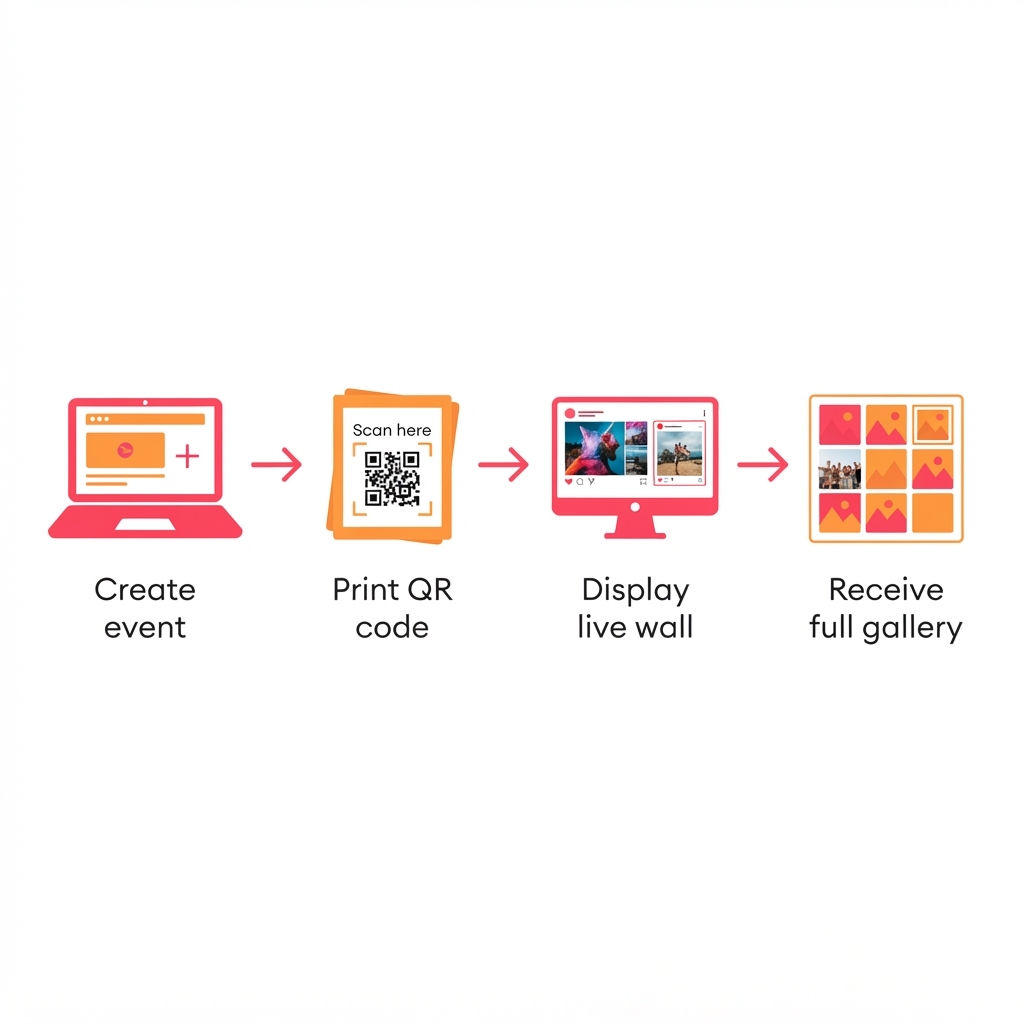
If you want the method that actually works, here is how to set up photo challenges for your wedding in under five minutes:
- Create your event on Photo Poodle — free, no credit card needed
- Generate your challenges — AI creates a personalised set based on your wedding details, or write your own
- Print your QR code — put it on table cards, the welcome sign, or a dedicated display
- Set up a live photo wall — connect any screen or TV at the venue, open the live wall link, and photos appear in real time as guests upload
- Enjoy your wedding — guests scan, get their challenges, and start contributing. You do nothing. The photos arrive.
After the wedding, your full gallery is waiting — organised by challenge, with every angle of your day captured by guests who were actually engaged, not just obligated. Curious how this fits the broader wedding use case? See our weddings overview.
What About Privacy?
One question that comes up: will guests' photos be public? No. Your event gallery is private — only people with the QR code can access it. Photos are not posted to any public social media. Guests can upload without creating an account or sharing their personal information.
If you want to share the final gallery with guests after the wedding, you can send a single link. No one needs to download an app or sign up for anything. For more on getting guests to actually share, read how to get wedding guests to share their photos.
The Bottom Line
The best way to collect wedding photos from guests in 2026 is not about making uploading easier. It is about giving guests a reason to take photos in the first place.
Every method on this list except one solves the logistics problem — where do photos go. Only one solves the motivation problem — why should guests bother.
That is the difference between ending up with 12 photos and ending up with 300.
Start Your Wedding Photo Collection for Free
Photo Poodle is free to try. Create your event, generate your AI challenges, and share the QR code with guests. The free plan includes 50 photos and full access to challenges and the live photo wall.
For full weddings, the Good Dog plan (39 EUR per event) gives you 300 photos and videos, one month of storage, and unlimited AI-generated challenges. See the full pricing for all options.
Your wedding photos should capture every moment of the day — not just the ones the professional photographer happens to catch.
Ready to activate your guests?
Create your first event free. No app download required for guests.
Create your event