New in Photo Poodle: Points & Leaderboard
We just shipped Points & Leaderboard. Guests earn points for every prompt, climb a live ranking, and your gallery fills itself. Here's what we released and how to turn it on.

We just shipped something we have been excited about: Points & Leaderboard, a new way to turn your guests into your event's most active photographers. It is live now for every event on Photo Poodle, and it takes about thirty seconds to switch on.
If you have ever run a shared photo album and watched the gallery go quiet after the first five minutes, this is the feature for you. Give guests points for every prompt they complete, show them a live ranking, and the photo challenge stops being a favour and becomes a game. No app downloads, no accounts, no nagging — just a scoreboard for the photos you were already asking people to take.
Here is what we released, how it works, and how to turn it on for your next event.
What's New
This release adds a full points and leaderboard system that runs on top of the prompts, gallery, and photo wall you already use:
- Points for prompts. Every prompt can now carry a point value. Guests earn points the moment they upload a photo for that prompt, with an instant "+10 points" confirmation.
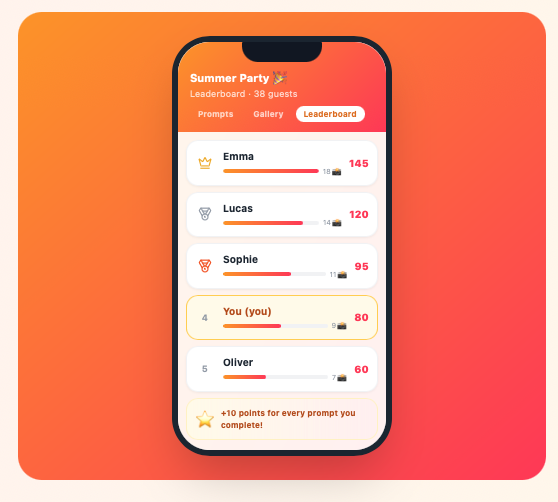
- A live guest leaderboard. A new Leaderboard tab sits next to the gallery in the guest view, ranked by total points. The top three wear crown and medal icons, and each guest's own row is highlighted so they always know where they stand.
- Organizer leaderboard. A Leaderboard tab in your event dashboard shows the full standings, so you can see exactly who is carrying the event at any moment.
- Once-per-prompt mode. Want guests to spread across prompts instead of spamming one? Flip on "Earn Points Once Per Prompt" and the leaderboard rewards variety over quantity.
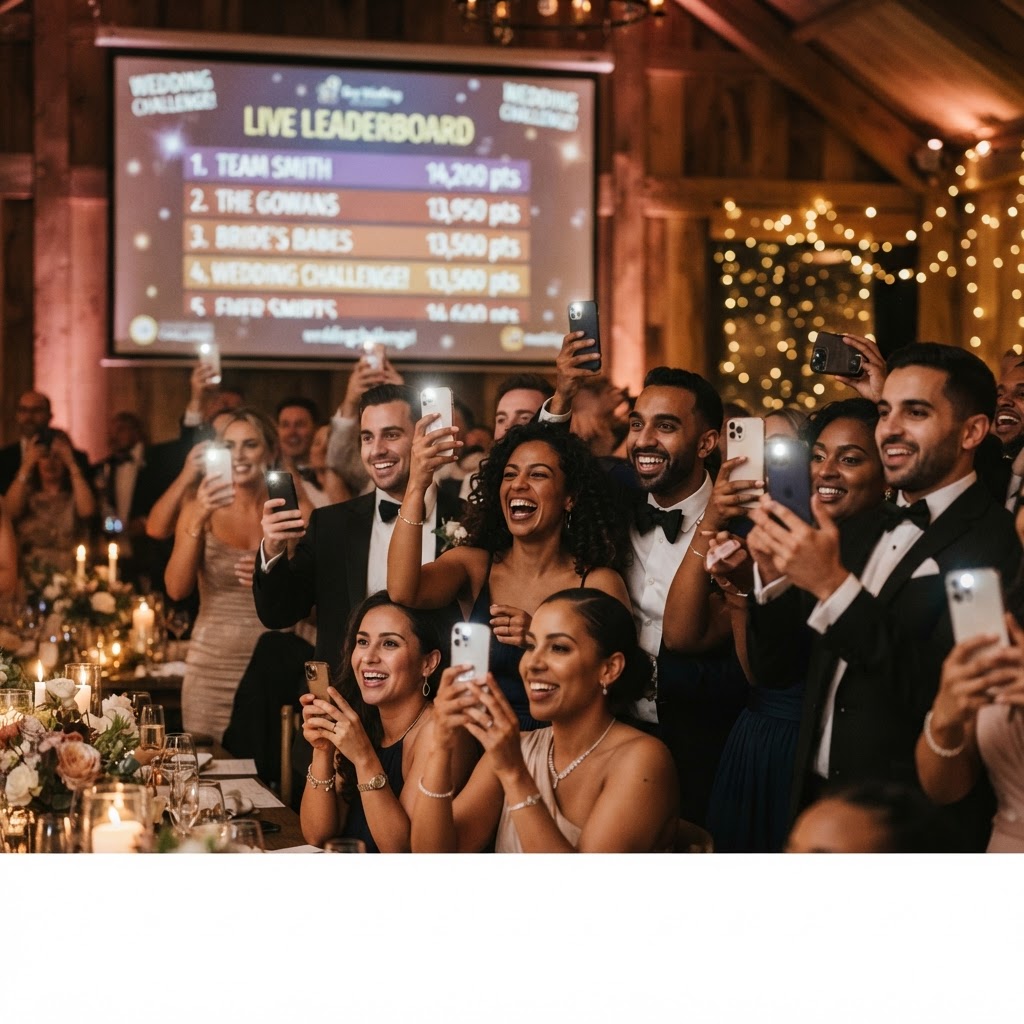
- Leaderboard on the big screen. If you run a live photo wall, the leaderboard can join it as a split-screen panel — a live scoreboard beside the photos as they come in.
- Show or hide anytime. Keep points running but hide the leaderboard from guests until the awards moment, or show it the whole night. You are in control.
How It Works
The loop is deliberately simple, because the best gamification is the kind nobody has to learn:
- You turn on points in event settings. One toggle enables points for prompts, and every prompt picks up a point value you can tune.
- Guests earn points when they upload. Each photo for a prompt banks that prompt's points, with an instant reward pop-up.
- The leaderboard updates live. Guests see the Leaderboard tab ranked by total points; you see the same ranking in your dashboard.
- The room competes. The moment someone's friend is one point ahead, the next photo is getting taken. You do not have to ask.
No extra app, no accounts, no learning curve. If a guest can scan your QR code, they can play.
Why We Built It

The number one thing organizers told us: the gallery never fills. A few keen guests take a photo, then everyone puts their phone away. We had prompts, QR codes, a live wall, and a memory album — all the ingredients — but nothing gave guests a reason to keep going past the first upload.
Points and a visible ranking tap into the strongest motivators in a social setting: status, progress, and friendly rivalry. People who would never respond to "please take more photos" will move mountains to overtake a friend on a leaderboard. So we pointed that instinct at your event photo album. The result is the thing every organizer wants and few get: a gallery that fills itself.
How to Turn It On
It takes about five minutes from your event dashboard:
- Create your event and add prompts. Pick a prompt pack or write your own. Eight to twelve prompts is the sweet spot.
- Enable points. In Settings, under Points & Leaderboard, flip on "Enable Points for Prompts." Every prompt now carries points, defaulting to 10.
- Tune the point values. Want the final prompt worth double? Bump it to 20 in the Prompts tab. Harder challenges earn more; easy ones keep the board moving.
- Choose once-per-prompt. Turn on "Earn Points Once Per Prompt" to reward guests who spread across prompts instead of repeating one.
- Show the leaderboard. The guest Leaderboard tab is on by default. Hide it anytime without stopping points, so you can keep the competition secret until the awards.
The QR code, the gallery, the reactions, and the photo wall all keep working exactly as before. Points simply add a reason to keep playing.
Put It on the Big Screen
Already running a live photo wall on a TV or projector? The leaderboard can join it. A split-screen panel shows the live ranking beside the photos as they come in, so the whole room watches the standings shift in real time. Choose which side it sits on and how wide it is, and your photo wall becomes a live scoreboard — the single best way to keep a room full of guests competing between courses.
Where It Shines
Points & Leaderboard drops into almost any event where you want guests active:
- Weddings — a friendly competition for the best candid moment of the night.
- Birthday parties — a gallery full of chaos and a leaderboard full of friends.
- Corporate events & conferences — icebreakers that actually break the ice, with a ranking the whole room can see.
- Team building — colleagues who roll their eyes at a trust fall will fight for first place on a photo leaderboard.
- Pub crawls & friend gatherings — a running scoreboard for the night's most ridiculous moments.
Start Your Event
Points & Leaderboard is live now for every Photo Poodle event, included on every plan. Create your free event, switch on points, and watch your gallery fill itself.
Frequently Asked Questions
Ready to activate your guests?
Create your first event free. No app download required for guests.
Create your event